
Download Be Focused Pro – Boost Productivity with Smart Task Timer
Overview
In today’s hyper‑connected world, the ability to stay on task is more valuable than ever. Be Focused Pro answers that need by turning the classic Pomodoro technique into a fully customizable productivity engine. The application lets you create individual tasks, assign precise work intervals, and embed optional breaks that match your personal rhythm.
Whether you are a developer juggling sprints, a writer polishing chapters, or a student preparing for exams, Be Focused Pro gives you a visual and auditory cue system that nudges you back to focus whenever you drift. The tool tracks completed intervals, skipped sessions, and even pauses, delivering a detailed weekly or daily report that helps you spot patterns and improve over time. Global hotkeys make it possible to start, pause, or skip a timer without breaking your flow, while integration with third‑party task managers means you never have to duplicate your to‑do list.
A library of alarm sounds—ranging from gentle chimes to firm buzzes—ensures the alerts are both noticeable and pleasant. In short, Be Focused Pro transforms the abstract idea of “staying on task” into concrete, measurable actions that keep you productive, motivated, and in control of your time.
Key Features That Set Be Focused Pro Apart
- Customizable Work Intervals – Define any length for work sessions and breaks, from 5‑minute sprints to 60‑minute deep‑focus blocks.
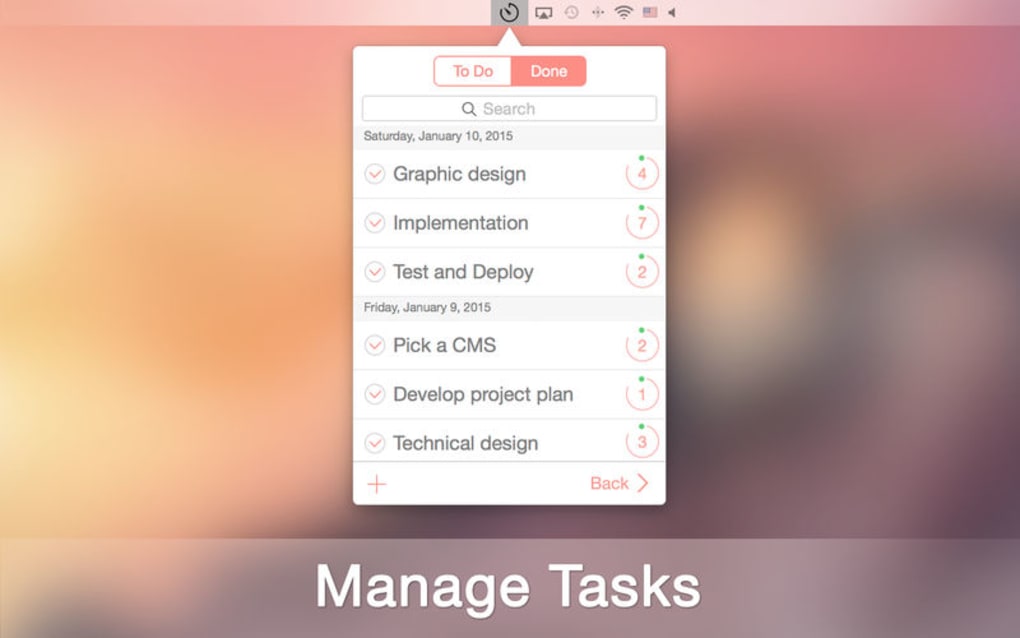
- Task‑Centric Dashboard – Create, edit, and prioritize tasks directly within the app, with color‑coded status indicators.
- Global Hotkeys – Start, pause, skip, or reset timers from any application using configurable keyboard shortcuts.
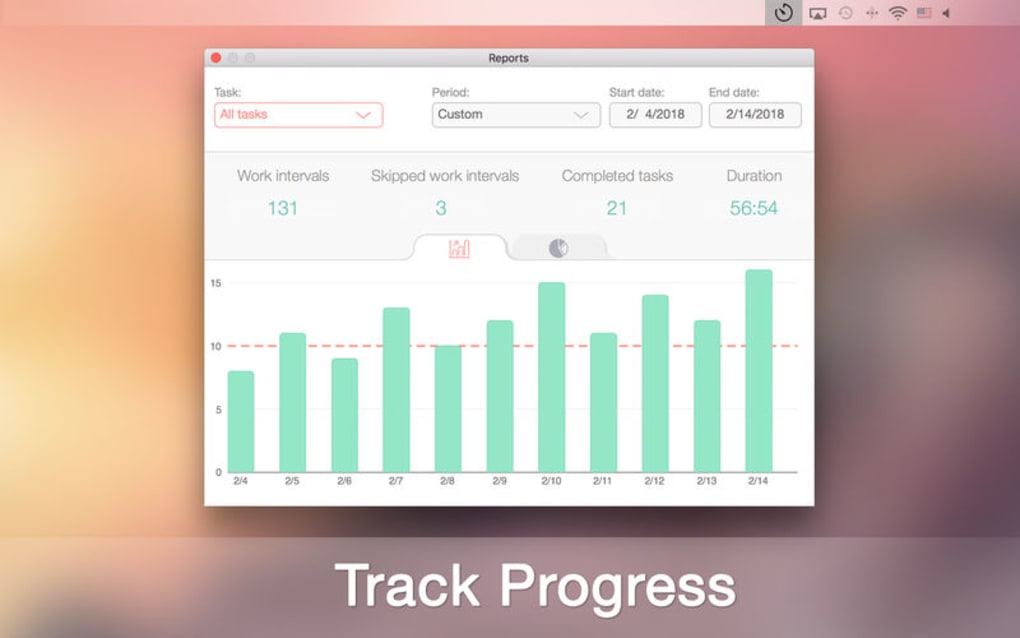
- Detailed Progress Reports – View daily, weekly, or custom‑range statistics that show completed intervals, skipped sessions, and total focused time.
- Third‑Party Integration – Sync task lists from popular apps such as Todoist, Trello, or Microsoft To‑Do via simple URL import.
- Multiple Alarm Sounds – Choose from a curated collection of alerts, or upload your own .mp3/.wav files for a personalized experience.
- Pause & Skip Logic – Instantly pause a session without resetting the timer, and skip intervals while still logging the action for later review.
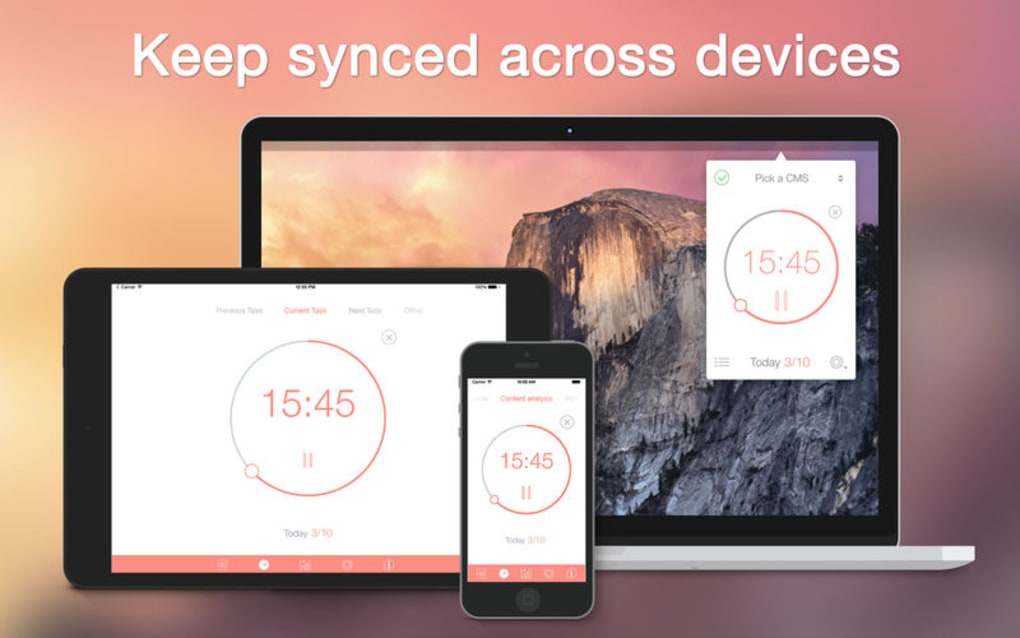
- Cross‑Platform Support – Available for Windows, macOS, Android, and iOS, ensuring your productivity system travels with you.
- Lightweight & Secure – The installer is digitally signed, and the app runs with minimal system resources, keeping your computer fast and safe.
- Automatic Updates – Receive secure, incremental updates that add features and fix bugs without disrupting your workflow.
Installation, Setup, and Daily Usage
Step‑by‑Step Installation
Downloading Be Focused Pro is straightforward. Visit the official website, click the “Download for Windows” (or macOS, Android, iOS) button, and save the installer file. For Windows users, run the .exe file; macOS users will open the .dmg and drag the app to the Applications folder.
Mobile users can install directly from the Google Play Store or Apple App Store. The installer is signed by the developer, guaranteeing a secure, malware‑free experience. Once the installation completes, launch the app and you’ll be greeted by a brief onboarding wizard that guides you through the essential settings.
Initial Configuration
The first screen asks you to create your default work interval length and break duration. If you follow the classic Pomodoro method, you might set 25 minutes of work and a 5‑minute break. You can also enable “Long Break” after every fourth session, customizing the length to suit your stamina. Next, you’ll be prompted to select an alarm sound; pick one that is audible but not jarring. The wizard also offers an optional step to import tasks from a supported third‑party app; simply paste the export URL or select a local file, and Be Focused Pro will populate your task list automatically.
Daily Workflow
After setup, the main interface displays a clean timer, a list of active tasks, and quick‑access buttons for “Start,” “Pause,” “Skip,” and “Reset.” Press the global hotkey (default Ctrl+Alt+Space on Windows) to launch a timer without leaving your current application. When a session ends, the selected alarm rings, and the break timer begins automatically. If you need to attend to an urgent email, hit the pause button; the timer will freeze, and the remaining time will be saved for later.
Skipping a session records a “skip” event, which appears in the weekly report, helping you understand where interruptions occur. At the end of each day, open the “Statistics” tab to review total focused minutes, average session length, and any skipped intervals. This feedback loop encourages continuous improvement and helps you fine‑tune your work‑break rhythm.
Compatibility, Pros & Cons, and Frequently Asked Questions
Supported Operating Systems
Be Focused Pro runs natively on the following platforms:
- Windows 10, Windows 11 (64‑bit)
- macOS 11 (Big Sur) and later
- Android 8.0 Oreo and newer
- iOS 13 and newer (iPhone and iPad)
Pros and Cons
- Pros
- Highly customizable intervals and break patterns
- Global hotkeys keep you in the flow without switching windows
- Rich integration options with popular task managers
- Detailed analytics help you track progress over weeks and months
- Lightweight, secure installer with automatic updates
- Available on all major operating systems
- Cons
- Advanced features (e.g., third‑party sync) require a paid license
- No built‑in cloud backup; users must export data manually
- Limited theming options for UI customization
- Mobile version lacks some desktop‑only shortcuts
FAQ – Your Questions Answered
Can I use Be Focused Pro for free?
Yes, the core timer, task list, and basic reporting features are free. Advanced integrations and premium alarm packs require a one‑time purchase or subscription.
How does Be Focused Pro sync across devices?
Sync is handled through manual export/import of JSON files or by linking a supported third‑party task manager (e.g., Todoist). The app does not provide its own cloud service, ensuring your data stays private.
Can I change the global hotkeys?
Absolutely. In the Settings menu, navigate to “Keyboard Shortcuts” and customize each action to any key combination that suits your workflow.
Is there a dark mode for night‑time work?
Yes, Be Focused Pro includes a dark theme that can be toggled manually or set to follow your system’s appearance settings.
What security measures protect my data?
The application runs locally without transmitting personal data unless you opt to sync with a third‑party service. All updates are digitally signed, and the installer is verified through standard Windows/macOS security checks.
Structured Review
Overall Rating: 4.5/5 – Be Focused Pro delivers a robust, flexible timer system that works across all major platforms. Its strongest points are the deep customization options, powerful hotkey support, and insightful reporting. While the free tier is generous, power users may miss a native cloud sync feature. Nonetheless, the app’s security‑first approach and lightweight design make it an excellent choice for anyone serious about improving focus.
Conclusion & Call to Action
Productivity isn’t about working harder; it’s about working smarter. Be Focused Pro gives you the tools to break down overwhelming projects into manageable intervals, monitor your progress, and adjust your workflow based on real data. Whether you’re a freelancer juggling multiple clients, a corporate employee seeking to reduce distractions, or a student preparing for exams, the app’s blend of flexibility and simplicity fits any routine.
Download the free version today, experiment with the interval settings, and feel the immediate boost in concentration. When you’re ready for deeper integrations and premium alarm packs, upgrading is just a click away. Take control of your time—download Be Focused Pro now and turn every minute into purposeful work.







